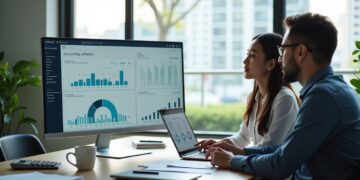
Choosing the right accounting system malaysia businesses can rely on is one of the most important early decisions for any small company. Whether you run a retail shop in Johor Bahru, a food business in Shah Alam, a service agency in Kuala Lumpur, or an online store selling through Shopee and TikTok Shop, your accounting system affects how well you track sales, control costs, prepare tax records, and make business decisions.
Many Malaysian SMEs still start with spreadsheets, manual receipts, and separate bank statements. That may work in the beginning, but it often becomes messy once transaction volume grows. Missed invoices, duplicate entries, unclear cash flow, and poor record keeping can quickly create problems during tax filing, audits, loan applications, or investor discussions.
This guide explains what an accounting system is, why it matters, what features to look for, and how small businesses in Malaysia can choose and implement one properly.
What Is an Accounting System for Small Business?
An accounting system is the method and software a business uses to record, organise, and report financial transactions. It helps business owners keep track of money coming in and going out, while also producing useful reports such as profit and loss statements, balance sheets, cash flow reports, and outstanding invoices.
For a small business, an accounting system usually covers:
- Sales invoices and receipts
- Purchase bills and supplier payments
- Expense tracking
- Bank reconciliation
- Inventory records
- Payroll support or payroll integration
- Tax-related records
- Financial reporting
In simple terms, it gives you a clearer picture of business performance without having to manually piece together numbers every month.
Why an Accounting System Matters for Malaysian SMEs
Small businesses in Malaysia face practical financial management challenges. These include managing cash flow, keeping proper documentation for LHDN, tracking SST where applicable, handling e-invoicing readiness, and producing financial records for banks or grant applications.
A proper accounting system helps in several ways.
1. Better cash flow visibility
Many SMEs are profitable on paper but struggle with day-to-day cash flow. An accounting system shows which customers have not paid, which bills are due soon, and how much cash is actually available.
2. Easier tax compliance
Good records make year-end tax filing much easier. Instead of searching through WhatsApp receipts, email attachments, and paper files, you can access organised records quickly.
3. Faster invoicing and collections
When invoices are sent on time and tracked properly, businesses usually get paid faster. Some systems also allow automated reminders for overdue payments.
4. More accurate decision-making
If you do not know your actual margins, overhead costs, or monthly trends, it is hard to price correctly or plan expansion. Accounting reports help you make decisions based on real numbers.
5. Stronger credibility with banks and investors
When applying for financing, business owners are often asked for management accounts, bank statements, and financial reports. A reliable accounting system makes this process much smoother.
Manual Bookkeeping vs Accounting Software
Some small businesses still use notebooks, Excel files, or basic templates. While that may be enough for very small operations, software becomes more valuable as the business grows.
| Method | Best For | Advantages | Limitations |
|---|---|---|---|
| Manual records | Very small or early-stage businesses with few transactions | Low cost, simple to start | High risk of errors, time-consuming, weak reporting |
| Spreadsheets | Freelancers or micro businesses | Flexible, familiar, inexpensive | No automation, version control issues, limited scalability |
| Cloud accounting software | Most SMEs | Real-time access, automation, better reporting, easier collaboration | Monthly subscription cost, setup required |
| Desktop accounting software | Businesses preferring local installation | One-time control, offline access in some cases | Less flexible, harder remote access, updates may be slower |
For most Malaysian SMEs, cloud-based accounting software is now the practical choice because it allows owners, accountants, and finance staff to access records from different locations.
Key Features to Look for in an Accounting System Malaysia SMEs Can Use
Not every system suits every business. A café, a construction subcontractor, and a digital agency will have different needs. Still, there are core features most SMEs should evaluate.
User-friendly dashboard
If the system is too complex, staff may avoid using it properly. Look for a clean dashboard that shows bank balances, receivables, payables, and recent transactions.
Invoicing and quotation tools
Your system should allow you to create professional quotations and invoices quickly, with customer details, payment terms, and tax treatment recorded properly.
Expense and bill management
You should be able to record supplier invoices, recurring bills, payment due dates, and supporting documents such as receipts and purchase orders.
Bank reconciliation
This feature helps match your accounting records against bank transactions. It reduces errors and makes month-end closing much easier.
Financial reporting
At minimum, the system should generate:
- Profit and loss statement
- Balance sheet
- Cash flow report
- Aged receivables report
- Aged payables report
- General ledger
Inventory tracking
If you sell products, inventory control matters. A good system can track stock movement, cost of goods sold, and reorder levels.
Multi-user access
This is useful if your owner, admin staff, external accountant, and finance manager all need different levels of access.
Tax and compliance support
In Malaysia, businesses should look for systems that support local tax requirements, proper record keeping, and future compliance needs such as e-invoicing workflows where relevant.
Integration options
If you use POS systems, payroll software, e-commerce platforms, or payment gateways, integration can save a lot of manual work.
How to Choose the Right Accounting System for Your Business Type
The best system depends on your business model, transaction volume, and internal processes. Here is a practical way to think about it.
For service businesses
Examples include marketing agencies, consultants, law firms, tuition centres, and IT service providers. These businesses usually need:
- Quotation and invoice management
- Expense tracking
- Project or job costing
- Customer payment follow-up
- Simple reporting
If you bill clients monthly or by project, choose a system that makes recurring invoices and debtor tracking easy.
For retail and F&B businesses
These businesses often need:
- Inventory tracking
- POS integration
- Supplier bill management
- Daily sales summaries
- Multi-outlet reporting
For example, a small café in Penang may want a system that connects sales from the POS directly into accounting records to reduce manual entry.
For e-commerce sellers
Shopee, Lazada, TikTok Shop, and Shopify sellers usually need:
- Sales channel integration
- Fee and commission tracking
- Inventory management
- Refund and return handling
- Bank settlement matching
Without a proper system, platform fees and shipping charges can easily distort actual profit margins.
For construction or project-based businesses
These businesses may need:
- Progress billing
- Project costing
- Retention tracking
- Supplier and subcontractor management
- Detailed expense allocation by job
If your business has multiple ongoing projects, basic bookkeeping software may not be enough.
Cloud vs Desktop Accounting Systems
This is one of the most common questions among SME owners.
Cloud accounting systems
Cloud systems are hosted online. You log in through a browser or app.
Benefits:
- Access from anywhere
- Automatic updates
- Easier collaboration with accountants
- Better backup and data security from established providers
- Suitable for remote teams and multi-branch businesses
Considerations:
- Ongoing subscription fees
- Internet access is needed for full use
- Features vary by plan
Desktop accounting systems
Desktop systems are installed on a local computer or server.
Benefits:
- May suit businesses that prefer offline control
- Sometimes familiar for long-time users
- Can work for businesses with stable internal accounting teams
Considerations:
- Harder remote collaboration
- Manual updates and backups may be needed
- Less flexible for growing teams
For most modern SMEs in Malaysia, cloud systems are usually more practical unless there is a specific reason to keep accounting offline.
Common Mistakes When Choosing an Accounting System
Many businesses buy software too quickly or based only on price. That often leads to poor adoption and wasted money.
Choosing based on cost alone
The cheapest option may lack important features such as inventory, reporting, or local tax support. A slightly higher monthly fee can save many hours of manual work.
Ignoring business processes
If your team handles quotations, deposits, instalment billing, or stock transfers, the system should support those workflows.
Not involving the actual users
Owners may choose the software, but admin staff and finance staff use it daily. Their input matters.
Skipping implementation planning
Even good software fails if opening balances, chart of accounts, customer records, and supplier data are not set up properly.
Expecting software to fix poor habits
An accounting system helps, but it cannot fully solve problems caused by missing receipts, delayed data entry, or mixing personal and business expenses.
Step-by-Step Guide to Implementing an Accounting System
Once you have chosen a system, implementation should be done carefully.
1. Review your current bookkeeping process
List how you currently handle sales, purchases, expenses, payroll, stock, and bank reconciliation. Identify what is manual, duplicated, or often delayed.
2. Clean up your existing records
Before migration, organise customer lists, supplier details, unpaid invoices, unpaid bills, and bank balances. Remove duplicate or outdated records.
3. Set up your chart of accounts properly
This is the structure used to classify income, expenses, assets, liabilities, and equity. It should reflect your actual business operations.
For example, a Malaysian retailer may need separate accounts for:
- Online sales
- Walk-in sales
- Delivery charges
- Merchant fees
- Packaging costs
- Staff salaries
- Rental
4. Import opening balances
Make sure bank balances, receivables, payables, inventory values, and loans are entered correctly at the start date.
5. Train the team
Even a simple system needs basic training. Staff should know how to issue invoices, upload receipts, record payments, and run reports.
6. Test reports early
Run a profit and loss statement, balance sheet, and debtor report after the first few weeks. This helps catch setup errors early.
7. Create monthly routines
Set a fixed schedule for:
- Recording all transactions
- Uploading receipts
- Reconciling bank accounts
- Checking overdue invoices
- Reviewing monthly reports
Practical Malaysia-Specific Considerations
When evaluating an accounting system in Malaysia, local business realities matter.
Tax record keeping
Businesses should maintain proper financial records and supporting documents for tax purposes. Your system should make it easy to store invoices, receipts, and payment records in an organised way.
SST applicability
If your business is registered for Sales and Service Tax, the accounting system should support the correct treatment and reporting structure.
E-invoicing readiness
As Malaysia moves further into digital tax administration, SMEs should consider whether their software provider is preparing for local e-invoicing requirements and integrations.
Multi-language and local support
Some SME teams are more comfortable with English, while others may prefer bilingual support. Local vendor support can be useful during setup and troubleshooting.
Banking and payment workflows
Malaysian businesses often collect payments via bank transfer, DuitNow, card terminals, and e-wallets. Your accounting process should be able to record and reconcile these clearly.
How Much Should a Small Business Spend on an Accounting System?
Costs vary depending on features, number of users, and whether implementation support is included. In general, small businesses should think beyond subscription price and consider total value.
Your total cost may include:
- Monthly or annual software subscription
- Setup and migration fees
- Training costs
- Add-ons for payroll, inventory, or advanced reporting
- Support or bookkeeping assistance
For a micro business, a basic plan may be enough. For a growing SME with inventory, multiple users, and reporting needs, a more complete package is often worth the investment.
The real question is not just cost, but how much time, error reduction, and financial visibility the system gives back to the business.
Signs Your Small Business Has Outgrown Basic Bookkeeping
If any of the following sound familiar, it may be time to upgrade:
- You are using multiple spreadsheets for sales, expenses, and stock
- You do not know which customers still owe money
- Month-end reporting takes too long
- Your accountant keeps asking for missing documents
- You cannot see actual profit by product, branch, or service line
- Tax filing feels stressful every year
- You are planning to hire, expand, or seek financing
These are common signs that manual processes are no longer enough.
Best Practices for SME Owners Using an Accounting System
Software alone is not enough. Good habits matter just as much.
- Separate personal and business bank accounts
- Record transactions promptly, not months later
- Issue invoices consistently with clear payment terms
- Upload receipts and supporting documents immediately
- Reconcile bank accounts every month
- Review basic reports monthly, even if your accountant handles year-end filing
- Control user access to reduce mistakes and fraud risk
Business owners do not need to become accountants, but they should understand the key numbers coming from the system.
Where This Fits Into Your Wider Financial Management
An accounting system is only one part of sound business finance. It works best when combined with budgeting, cash flow planning, tax compliance, and regular financial review. If you want to strengthen your broader knowledge, explore more resources under finance & tax malaysia.
FAQ: Accounting System Malaysia for Small Business
What is the best accounting system for a small business in Malaysia?
The best system depends on your business type, transaction volume, and needs. Service businesses may prioritise invoicing and reporting, while retailers and e-commerce sellers may need inventory and platform integration. The right choice is one that fits your workflow, supports local compliance needs, and is easy for your team to use consistently.
Can I use Excel instead of accounting software?
Yes, very small businesses can start with Excel, especially if transaction volume is low. However, spreadsheets become difficult to manage as the business grows. They are more prone to errors, weaker for reporting, and less efficient for collaboration.
Do Malaysian SMEs need cloud accounting software?
It is not legally required just because a business is small, but cloud accounting software is often the most practical option. It improves accessibility, reporting, backup, and collaboration with accountants or finance staff.
Does an accounting system help with tax filing?
Yes. A good accounting system helps organise income, expenses, invoices, and supporting documents. This makes tax filing easier and improves record quality for compliance purposes.
How often should I update my accounting records?
Ideally, transactions should be recorded daily or at least weekly. Waiting until month-end or year-end creates backlogs and increases the risk of missing information.
Is an accounting system useful for sole proprietors?
Yes. Even sole proprietors benefit from clearer records, better cash flow visibility, and easier expense tracking. It also helps separate business activity from personal spending.
What reports should a small business owner review every month?
At minimum, review your profit and loss statement, bank balance, aged receivables, aged payables, and cash flow position. These reports help you understand profitability and short-term financial pressure.
Conclusion
Choosing an accounting system malaysia SMEs can depend on is not just an admin decision. It is a business management decision that affects cash flow, compliance, reporting quality, and growth readiness. The right system helps you move from reactive bookkeeping to more confident financial control.
For small business owners, the goal is not to find the most complicated software. It is to find a system that matches your business model, supports your daily operations, and gives you reliable financial information without unnecessary complexity.
If you are still relying on spreadsheets or manual records, this may be the right time to review your current process and identify where a better accounting system can save time, reduce errors, and support smarter decisions.